Direct repository access
Find direct staff-to-repository grants to review alongside team access. A direct grant may be a justified exception.
repod is a web app that brings repository permissions, team access and direct user grants into one place.
Find access that needs review, preview team-permission changes, and let authorised teammates apply them.
Start read-only. No account needed for first results. You will need a GitHub token with the required read permissions.
Product screenshots with demonstration data. Start with a free read-only audit, then use a workspace for supported access changes.
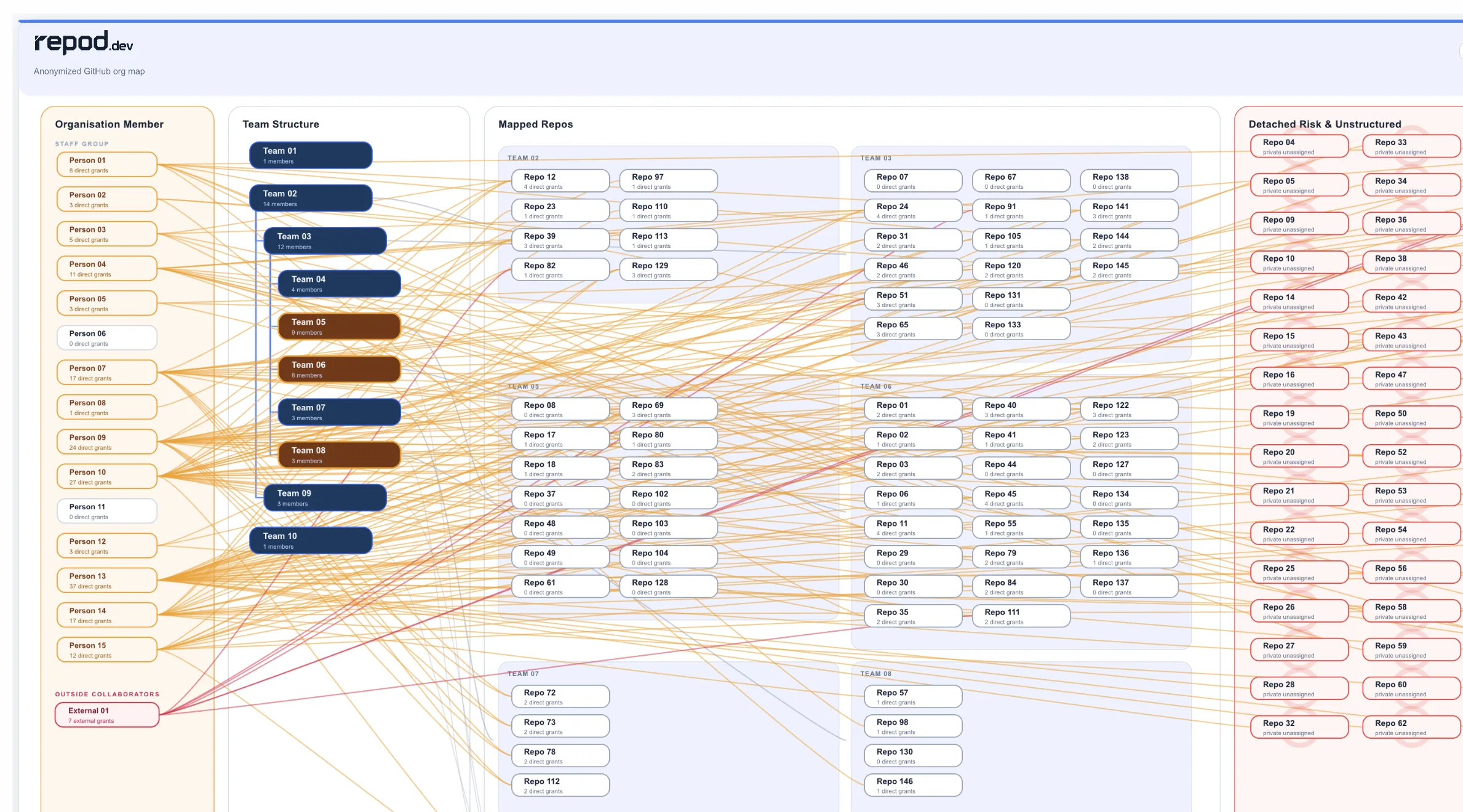
Review repositories, teams and individual grants together. Decide which permissions need attention.
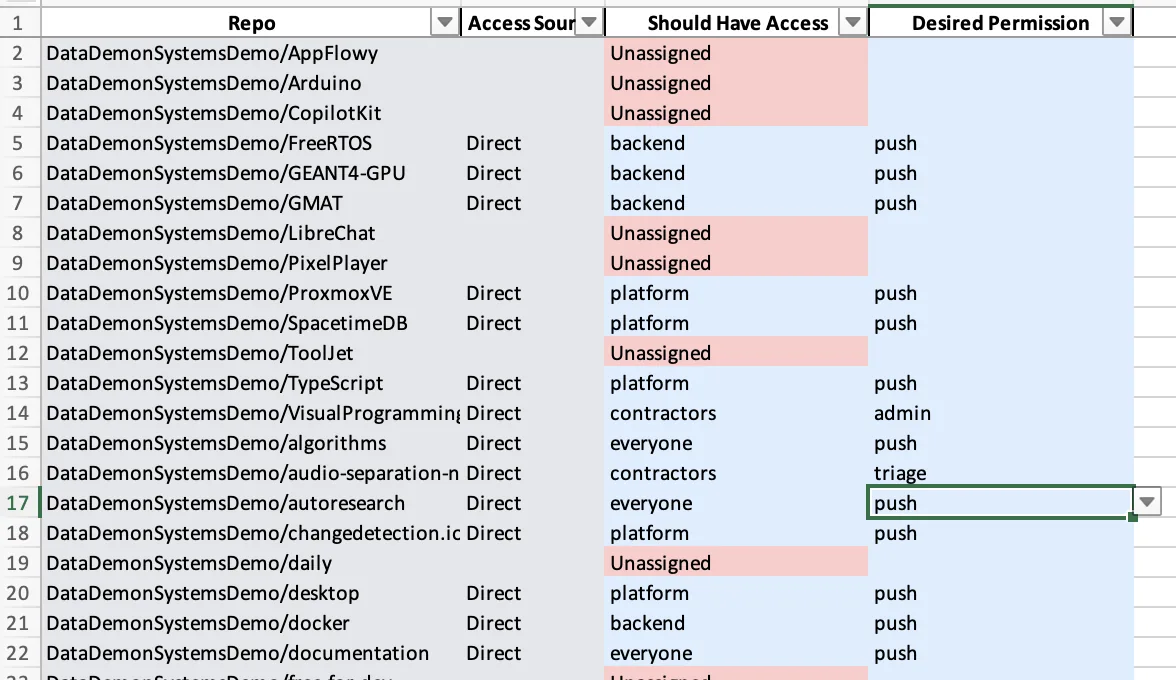
For example, propose Write to Read for a support team. Inspect the saved preview before applying it.
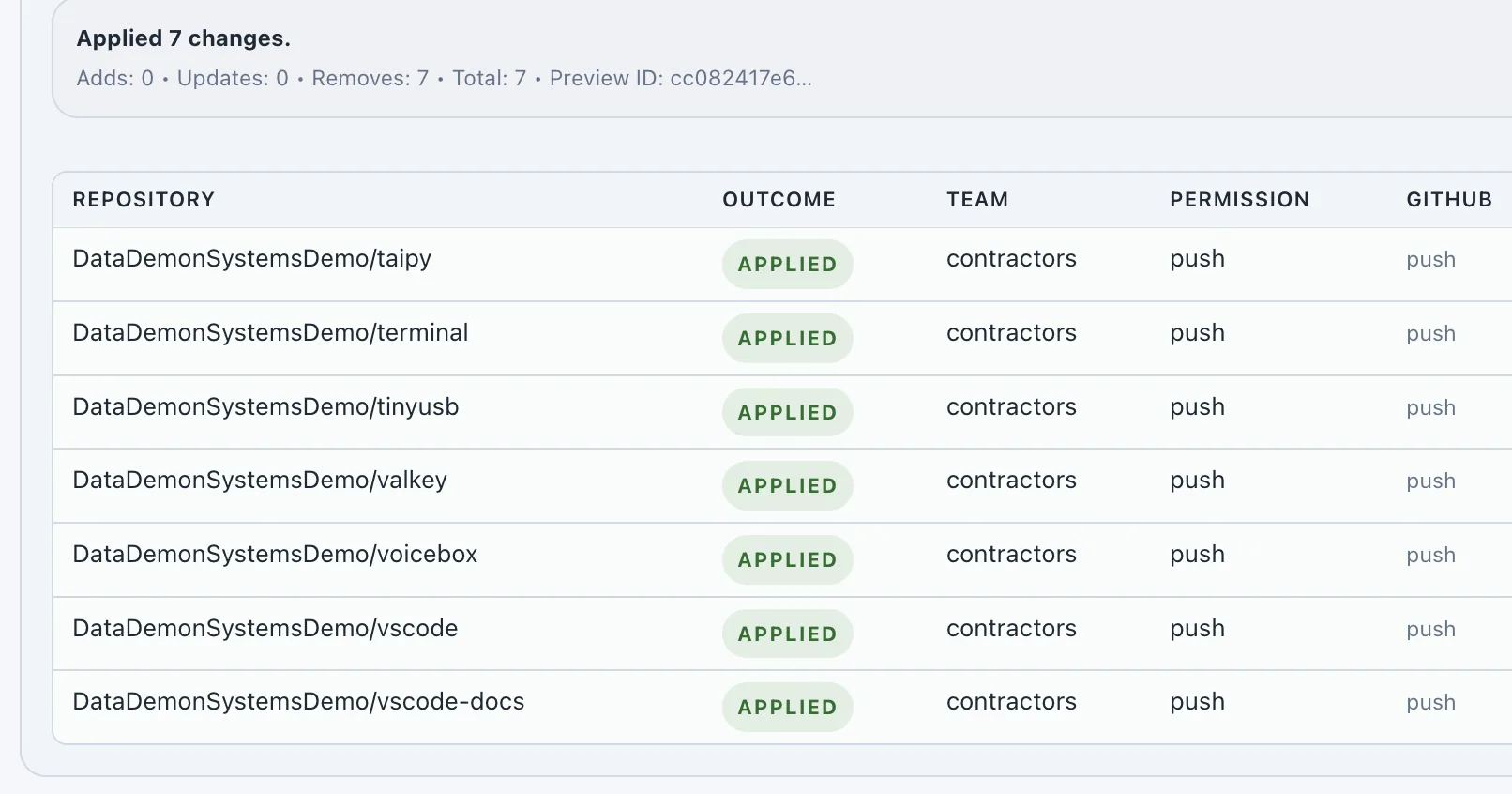
An authorised teammate applies the reviewed plan. Check the recorded result, including any partial failures.
Applying changes requires additional GitHub permissions and an explicit action. Paid plans add ongoing review records, observed history and report exports.
Free audit scope
Get an initial snapshot of team coverage, direct staff grants and high-privilege teams across the active repositories your token can read. Use the findings to decide what needs closer review.
Find direct staff-to-repository grants to review alongside team access. A direct grant may be a justified exception.
See what share of active repositories have a team grant. A grant alone does not establish who owns a repository.
Review repositories with direct grants and no team grants in the captured snapshot.
Identify teams with Maintain or Admin repository permissions and check whether those permissions are needed.
Find private repositories with no captured team assignment so you can check their intended access model.
See whether the direct-access scan completed. Missing permissions and skipped repositories are incomplete evidence.
Structure repo access through teams, reduce manual admin, and make changes safer.
Stop handling joiners, leavers, and access changes one repo at a time.
See the export, review, and apply workflow.
See what will change before syncing updates back to GitHub.
Need a cleaner starting point? Read our GitHub repository permissions audit checklist.
Replace direct repo-by-repo permissions with a cleaner team-based model.
Need tighter boundaries? Review private GitHub repository visibility.
Let org admins keep control while maintainers and operators handle repo-team access work, without adding a Terraform workflow or an enterprise stack.
Learn how to delegate GitHub repo-team access without org admin, or read the broader GitHub org permissions governance guide.
How it works
Connect read-only, inspect the findings, review supported changes, and retain records for future access reviews.
Web form: Free GitHub access audit
org: acme-platform
token: github_pat_••••
scope: read-only org access
Connect one GitHub org with read-only permissions.
Scanning access…
Example snapshot
12 active repositories
3 direct staff grants
1 private repo without a teamrepod maps repo-team access, direct grants, outside collaborators, and unowned repos.
Workbook workflow
export mapping.xlsx
edit access columns
preview diff
apply approved changes
Review the saved repository-team plan. Apply it with the required role and GitHub write permissions.
Governance report
Paid workspace report
access findings
observed changes
review and exportUse paid workspace reports and observed history to support the next access review.
Start with a free one-off audit. Claim a workspace to manage access, and choose a paid plan for ongoing reviews, history and reports. The public audit covers the repositories your token can read; Starter workspace visibility has separate limits.
1 orgs · 20 repos · 3 teams
1 orgs · 200 repos · 20 teams
2 orgs · 500 repos · 100 teams
1 orgs · 500 repos · 125 teams
GitHub governance guides
Short, practical guides for the GitHub access problems that usually show up before an audit, offboarding review, or team restructure.
Use the minimum GitHub permissions needed for read-only audits and controlled write workflows.
Delegation Repo-team access without org adminLet operators handle access cleanup without giving them broad GitHub organization power.
Comparison Compare GitHub access optionsChoose between GitHub Teams, Enterprise, safe-settings, Terraform, and repod.
Offboarding Remove stale GitHub accessReview teams, direct grants, outside collaborators, and service accounts after role changes.
Start with repository ownership, team mappings, direct user grants, outside collaborators, and high-privilege access. repod turns that into an org-wide access audit instead of a repo-by-repo click exercise.
For the manual review path, read the GitHub repo access audit guide or use the GitHub repository permissions audit checklist.
Direct repository access is any user-to-repo grant that bypasses the normal team model. repod helps surface those grants so admins can decide whether they are justified exceptions or access drift.
For the model decision, read GitHub Direct access vs Organization access.
Review the teams attached to each repository, their permission levels, inherited access paths, and whether the mapping still matches ownership. repod exports and previews repo-team access so changes can be reviewed before apply.
For nesting and inheritance, read GitHub Teams hierarchy and repository permissions. For the product workflow, read how to export, review, and apply GitHub repo-team access changes.
Check org membership, team membership, direct repository grants, outside collaborators, service accounts, and old exceptions. The goal is to remove both the obvious access and the quiet access paths that outlive the person or vendor.
For the process, read the GitHub offboarding playbook.
Outside collaborators should be reviewed separately from staff teams because they often represent vendor, contractor, or temporary access. repod helps make those exceptions visible during access review.
The GitHub repository permissions audit checklist includes outside collaborators, direct grants, and other common exception paths.
Usually no. Easy contribution is good, but blanket write access changes the risk model once repos use GitHub Actions, packages, deploy paths, and sensitive branch rules.
A better pattern is fast, reviewable access for the right repo. Review the blanket GitHub write access risks.
GitHub Teams can express the model. The hard part is reviewing and cleaning access across many repos and teams once direct grants and exceptions have built up. repod gives you one review surface, bulk edits, and a safer change path.
For the access model decision, read GitHub Direct access vs Organization access.
Repod provides Terraform-like governance outcomes for GitHub access management without requiring teams to adopt GitHub-as-code. Terraform is better for engineering teams that want GitHub org resources fully declared in code. repod is better for teams that need visibility, audit evidence, access cleanup, compliance workflows, and safe guided remediation.
For the lighter operating path, read how to export, review, and apply GitHub repo-team access changes.
It is similar in the narrow sense that YAML can describe desired access outcomes, and repod can preview and apply controlled changes. It is not Terraform: repod does not use Terraform state, providers, or a full GitHub-org-as-code lifecycle.
Repod's YAML workflow is an operational control layer for team-repo permissions, team settings and hierarchy, team memberships, and direct-collaborator exceptions. The difference is that repod wraps those changes in review, risk warnings, RBAC, audit evidence, and compliance context.
Use gh-iga when you want a local scanner, github-org-manager when your org is ready for YAML-based org management, and safe-settings when continuous repository settings enforcement is the main job. repod fits when GitHub access policy needs a reviewable workflow: direct grants, private repo coverage, team ownership, delegated review, controlled cleanup, and audit evidence.
Start with the one-page GitHub access tools comparison. For pairwise detail, read repod vs gh-iga, repod vs github-org-manager, and github/safe-settings vs repod.
repod supports fine-grained GitHub PAT auth and GitHub App beta. Audit/read mode uses read-oriented access to org settings, repository metadata, members, teams, and repo-team permission state. Write mode is only needed when you ask repod to apply changes.
repod operates on GitHub organization metadata and access-control state. It does not clone repositories or process source code contents in normal operation. For setup details, read the GitHub fine-grained PAT scopes for repod.
repod is built around previewing repo-team changes before apply so you can inspect removals, new team mappings, and the exact changes that will be pushed back to GitHub.
For the detailed workflow, read how to export, review, and apply GitHub repo-team access changes.
Start with the Security, Subprocessors, DPA, Vulnerability Disclosure, Privacy, Terms, and Trust Pack pages.
repod does not currently hold SOC 2, ISO 27001, or Cyber Essentials accreditation. The trust pages document the current controls without claiming external certification.